Python · Automation · eCommerce

Amplience
Photo Audit

Automated photo verification across 16,000+ products. What used to take hours of one-at-a-time searching now runs in a single command and finishes in under 20 minutes.

16K+
SKUs audited
4,813
SHOT confirmed
4,811
NEEDS PHOTO flagged
~20 min
Full sweep runtime
0
Manual lookups needed
01 — The Problem

16,000 products. One at a time. Always out of date.

Every product needs a confirmed photo in Amplience before a description can be written. The check had to be done manually: search Amplience for a style, read the result, type the status into a spreadsheet. Then move to the next one.

With 16,000+ products across seven department tabs, status was perpetually stale. A buyer asking "which of my styles still need photos?" had no fast answer. The only honest answer was "whatever someone checked last week, and some of it is probably wrong now."

There was no way to scale this without automation.

02 — The Solution

A Python script that reads Amplience the same way a browser does

The script walks through every product row in the Master Sample List, constructs the Amplience asset URL using the standard naming convention, and checks whether a real image exists at that address. Results write back directly to the Excel file as each department tab completes — so a crash mid-run never wipes completed work.

01
Browser Header Spoofing Amplience blocked raw Python requests and returned errors. Sending a standard browser User-Agent header resolved this — Amplience now responds to the script the same way it responds to Chrome.
02
Byte-Count Verification Amplience returns HTTP 200 for missing products by serving a small placeholder image. Trusting the status code produced all false positives. The fix: read the actual byte count of the response. Real product images are consistently larger than the placeholder threshold.
03
Tab-by-Tab Save An early run crashed mid-way through and wiped the session. The script was updated to write results back to Excel after each department tab finishes — crash recovery now costs at most one tab's worth of work.
04
Live View Photo Links Every confirmed SHOT row gets a clickable Amplience URL written directly into the spreadsheet. A buyer can jump from the tracker to the actual photo without leaving Excel.
03 — Excel Output

Results written directly into the Master Sample List

The script does not create a separate report. It writes status and photo links back into the source file — the same spreadsheet buyers, writers, and the photography team already use. No new tool to learn, no new file to check.
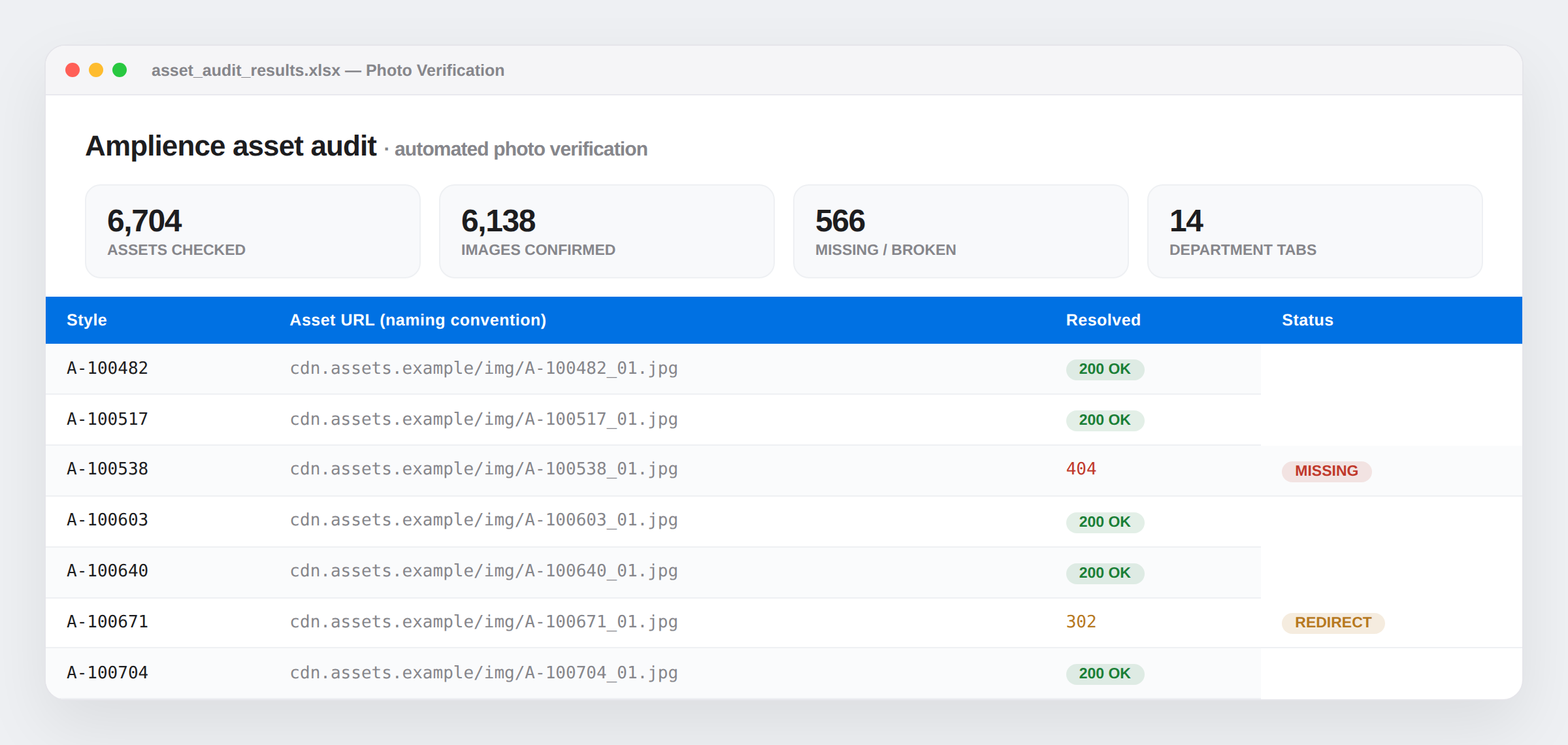
Automated asset verification results written into the product spreadsheet
Excel — Updated Master Sample List output
04 — Results

Two columns checked. Buyer-ready output in under 20 minutes.

4,813
SHOT confirmed
Real image verified
4,811
NEEDS PHOTO
No real asset found
~20 min
Full 16K sweep
Unattended after launch
2 cols
Only T and U touched
Status + View Photo link

Filtering column T now gives a buyer-ready NEEDS PHOTO list with zero manual work. Status reflects what is actually in Amplience, not what someone entered weeks ago.

05 — Stack

What it's built on

Python 3 openpyxl requests Amplience CDN API Excel / Master Sample List Browser User-Agent Spoofing Byte-Count Verification
Python·Automation·Amplience·eCommerce Ops·openpyxl·Photo Verification·QA Tooling·Shoe Carnival·Master Sample List·Asset Management· Python·Automation·Amplience·eCommerce Ops·openpyxl·Photo Verification·QA Tooling·Shoe Carnival·Master Sample List·Asset Management·